
Security
Control what gets recorded
Masking on the device, sampling, recording rules and a choice of where data lives. Your security team decides how much data is in the system.
Masking
Personal and financial data stays masked
- Masking is configured per field and UI block: account details, amounts, ID documents, contacts.
- Values are replaced on the user's side. The recording captures that input happened, not what was typed.
- Combined with Never record rules, this gives the security team control over how much data is in the system.
In the session recording
Card number
•••• •••• •••• ••••Transfer amount
$ ••• •••Comment
Only marked fields are masked; the rest of the interface stays visible. rent paymentSampling
Record the users you need, not everyone
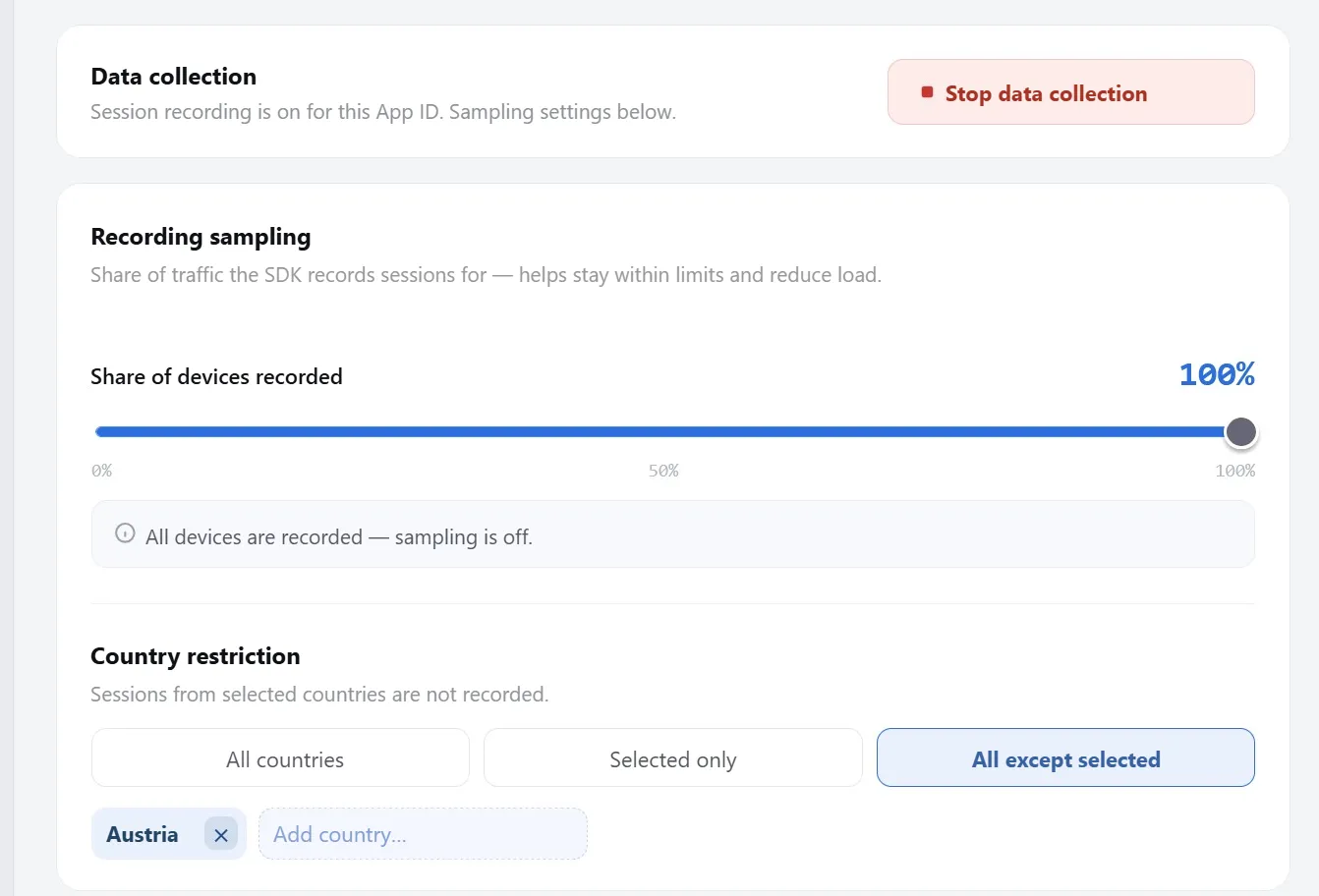
- Set the share of traffic to record, from 0 to 100%.
- Limit recording by country: all, only selected, or all except selected.
- Stop data collection entirely with a single switch.
Rules
Always or never record specific users
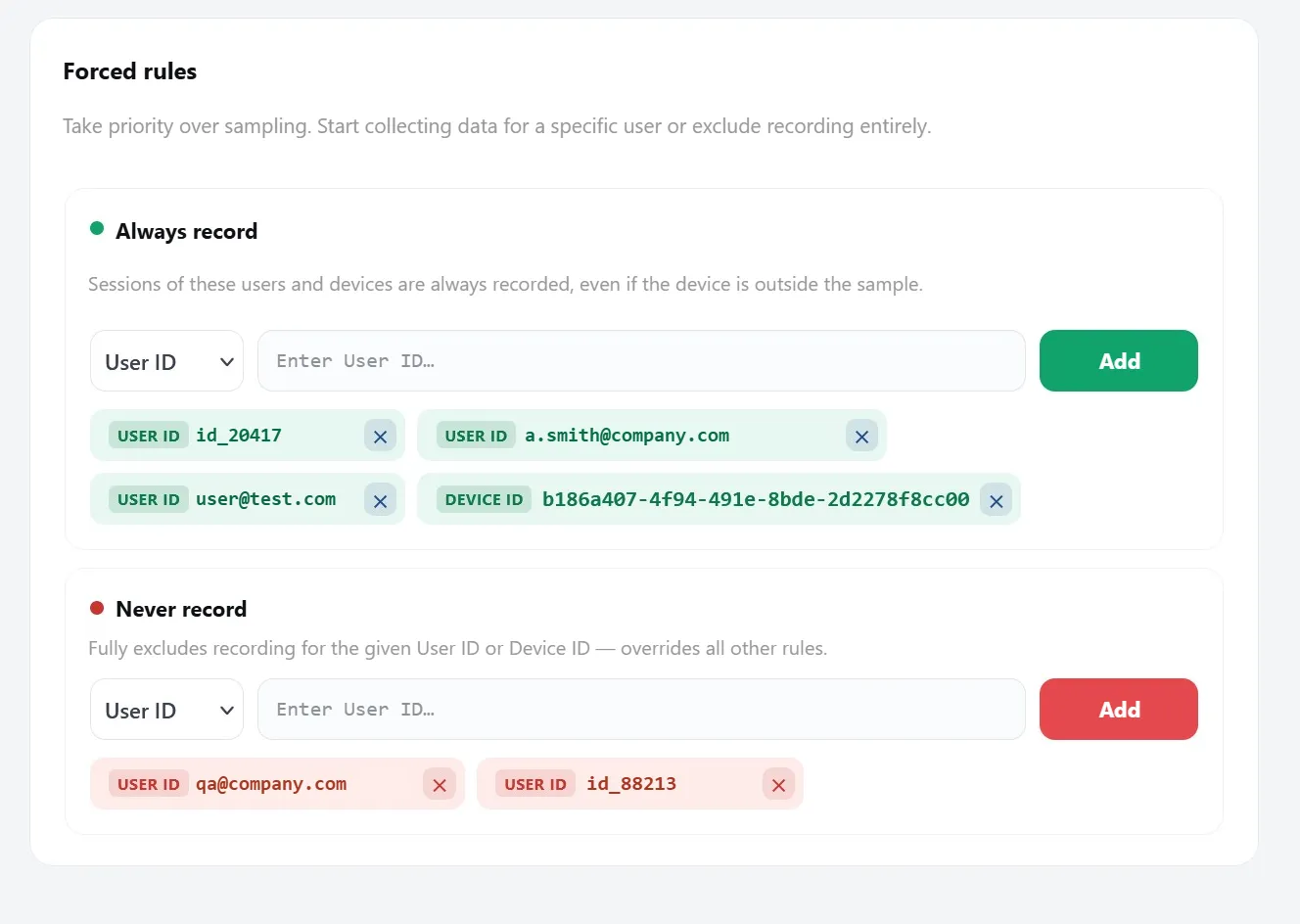
- Always record captures chosen User IDs and Device IDs regardless of sampling: useful for key accounts and open support cases.
- Never record fully excludes a user or device and overrides every other rule.
Data location
Your data, your choice
uxTrace CloudHosted and operated by us, with retention set to your policies.
Your serversOn-premise: data never leaves your infrastructure and we have no access.
GDPR-readyMasking on the device, data deletion on request, DPA available.
Security review
Request a security review
We'll walk your security team through masking, rules and deployment options.