
Product
See what happened and why
Session replay with the browser console, network requests and heatmaps on one timeline. Find the session, watch it, see the technical cause.
Player
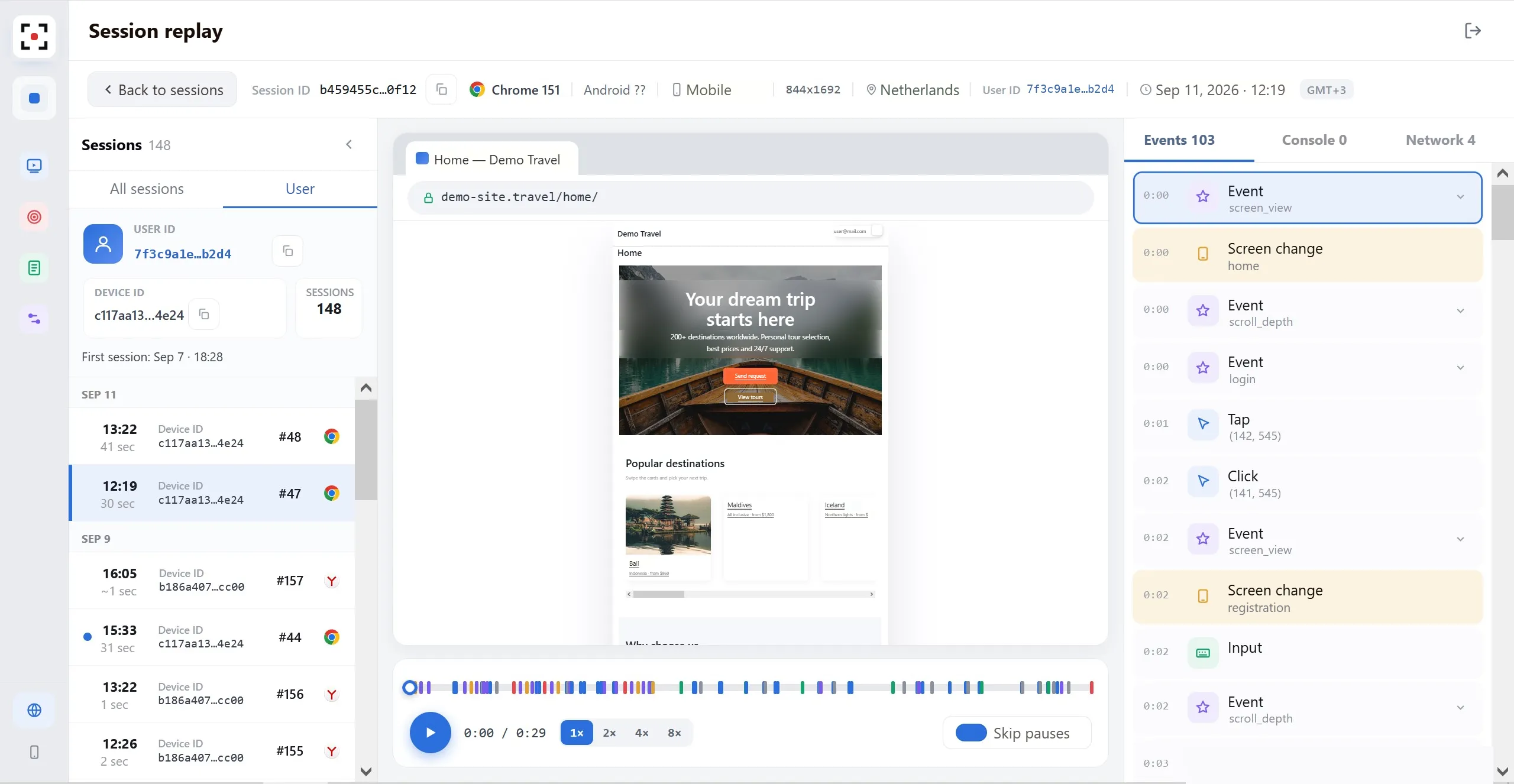
Full session replay
- Play sessions at 1x–8x and skip idle pauses.
- The timeline marks page views, clicks, input and scrolling, so you jump straight to the right moment.
- The header shows the context: browser, OS, device, resolution, country and User ID.
- All of a user's sessions are listed together, back to the first visit.
Console
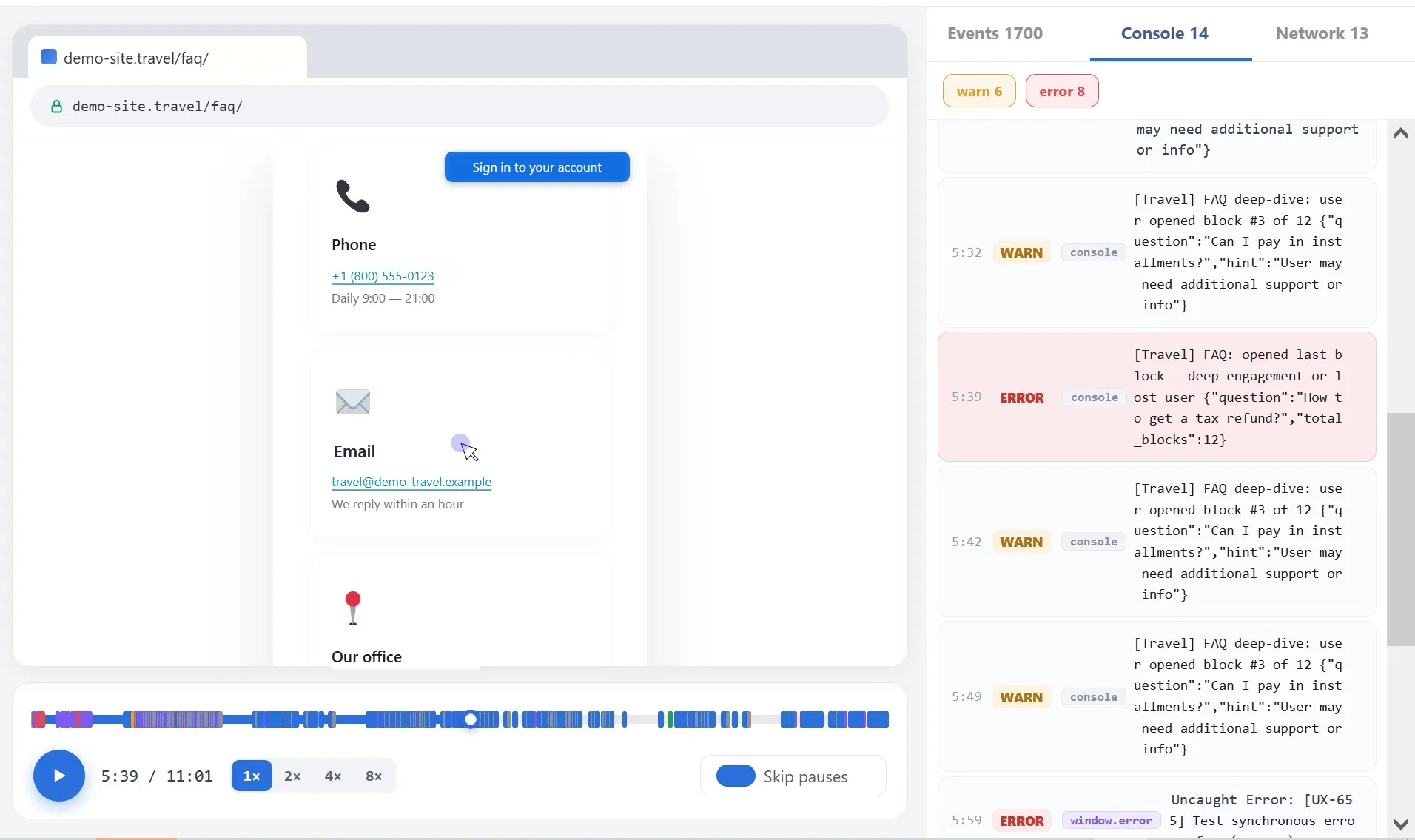
See not only what happened, but why
- JavaScript errors and warnings are collected and grouped by source.
- Each entry is tied to the session timeline, so you see the exact frame where it occurred.
Network
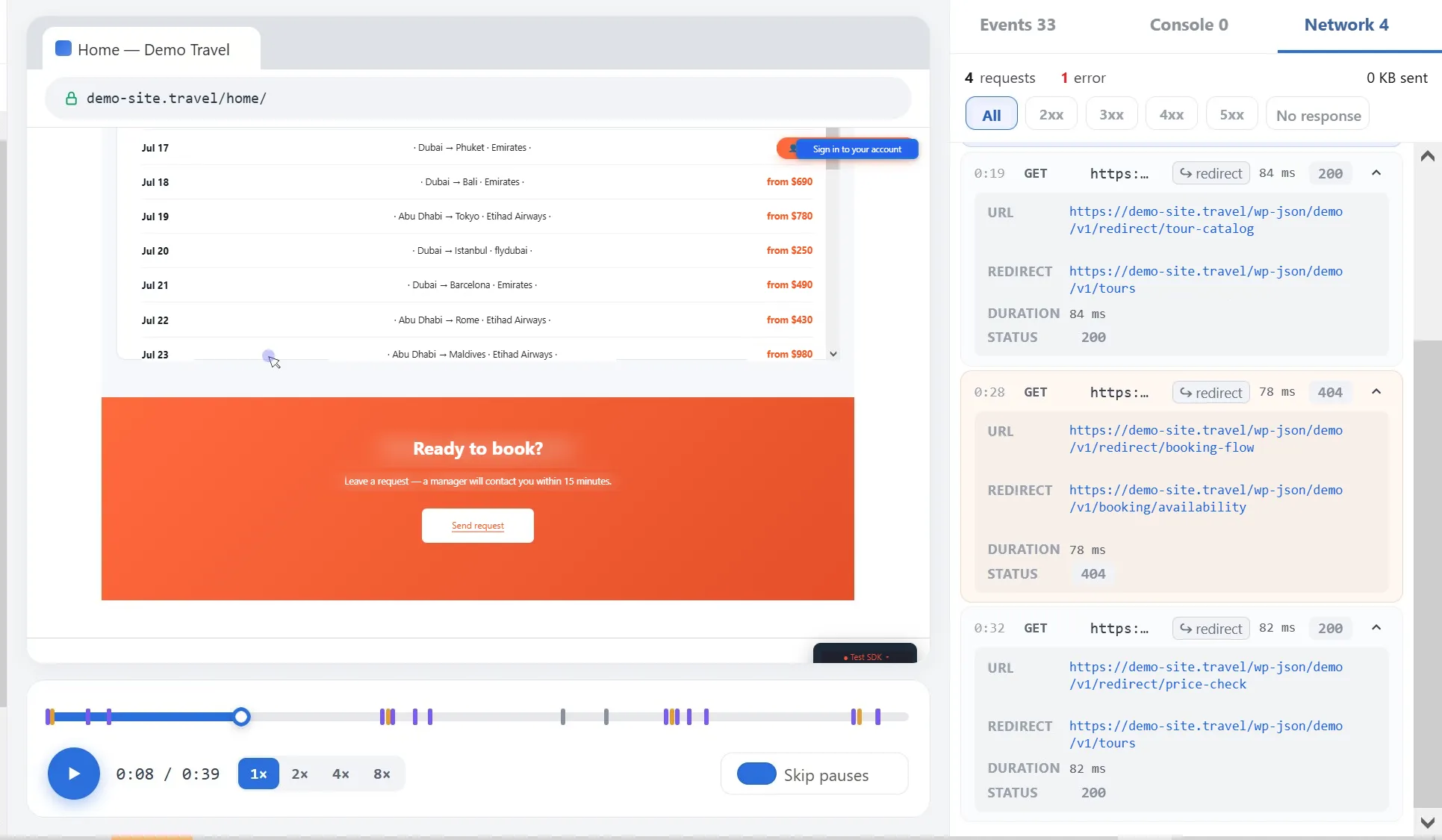
Network requests alongside the recording
- Each request shows its method, URL, redirect, duration and response code.
- Filter by status: 2xx, 3xx, 4xx, 5xx or no response, to find failed calls quickly.
Filters
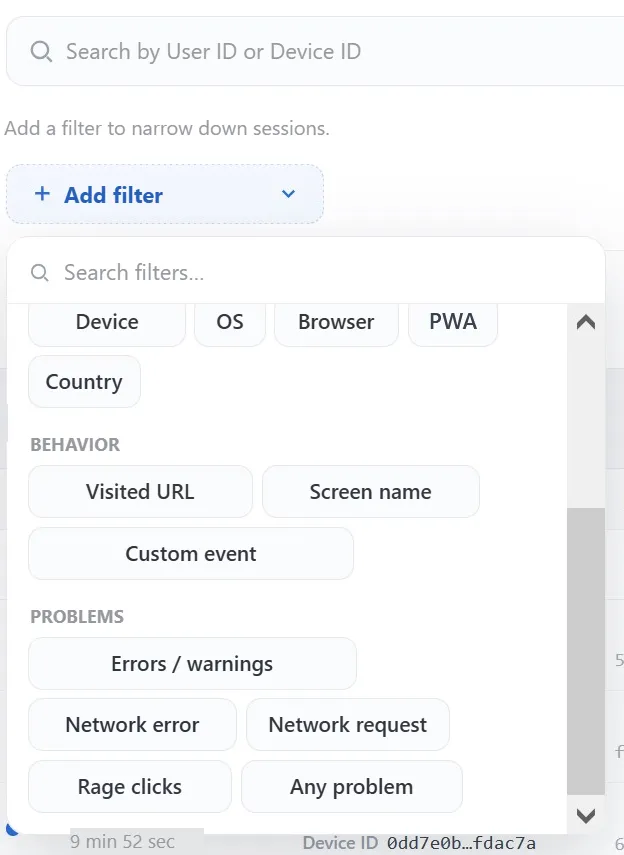
Find the right sessions
- Look up a specific user by User ID or Device ID.
- Narrow down by device, OS, browser, PWA or country.
- Filter by behaviour: visited URL, screen name or custom event.
- Go straight to problems: errors and warnings, network failures, rage clicks, or all at once with "Any problem".
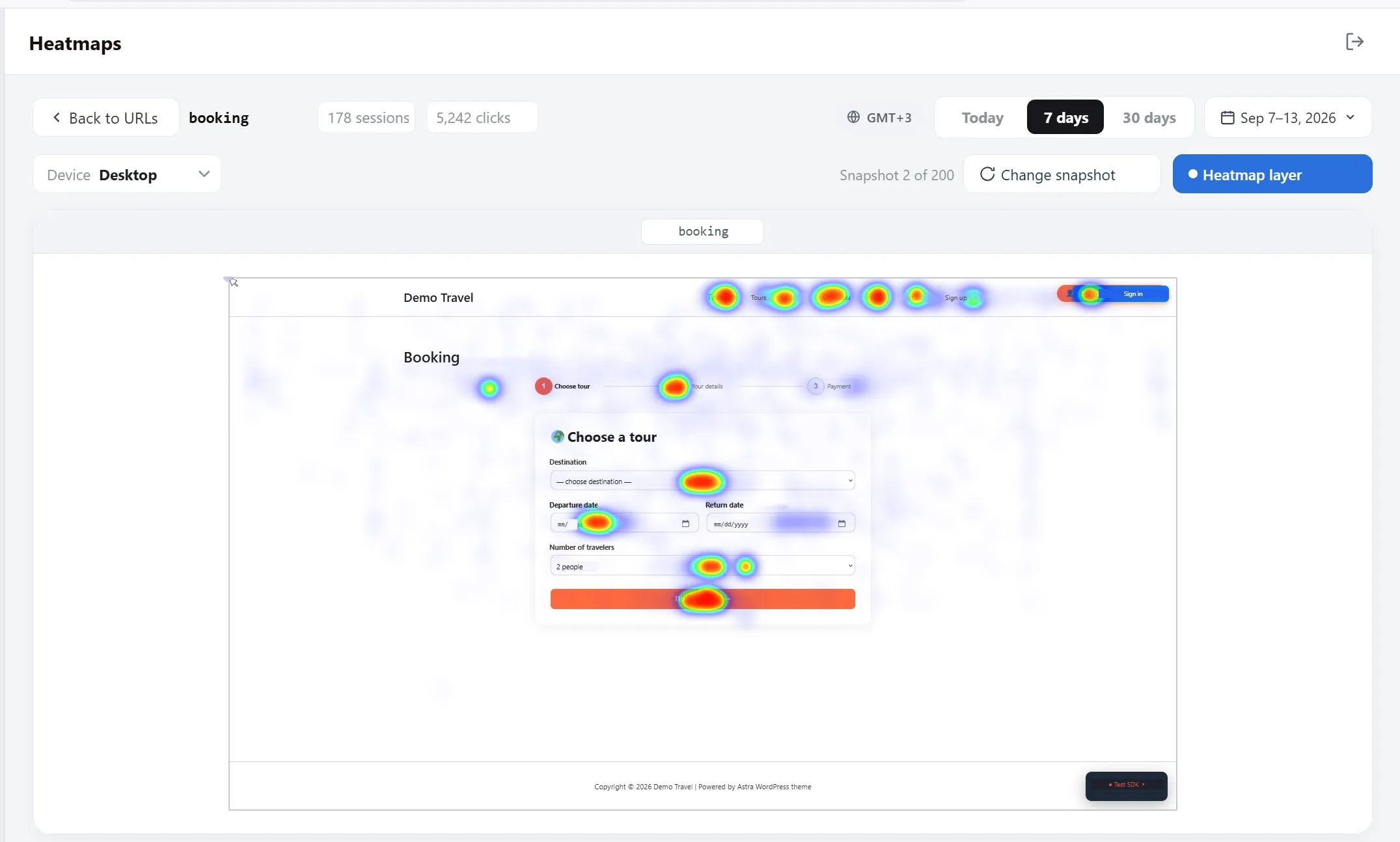
Heatmaps
See where users click
- Build a map for any URL over a chosen period.
- Desktop and mobile are shown separately.
- Clicks are layered over a current page snapshot, which you can replace when the design changes.
- Session and click counts are shown for each page.
How it works
Three steps from install to insight
- Install. Add one script tag to your website or PWA. It loads asynchronously and does not slow the page.
- Collect. Sessions go to uxTrace Cloud or to your own servers, with sensitive fields masked on the device.
- Review. Support, engineering and product teams find sessions, watch them and see the technical cause.
Get started
Book a 30-minute demo
We'll show uxTrace on a demo environment and discuss a pilot for your team.